Showit and Webflow both power beautiful, custom websites, but they solve slightly different problems.
And if you are a photographer trying to choose between them, I completely understand why it can feel confusing.
Both platforms can look high-end.
Both can support SEO when they are built properly.
Both can create a professional online home for your photography business.
But they feel very different to actually use.
And that is where the real difference is.
I have used both Showit and Webflow. In fact, I have been with Webflow for the majority of my design career, and I still design in Webflow regularly.
My own website used to be built in Webflow too.
So this is not one of those posts where I tell you Webflow is bad and Showit is perfect.
That is not how I see it.
I like both platforms.
But for different reasons.
Before we dive into this comparison, here’s a quick note: I’ve tested and worked across multiple website platforms to see how they perform for photographers, wedding creatives and service-based brands. This helps me look at the bigger picture, not just the features, but SEO, speed, blogging, design freedom and how easy the website is to manage after launch.
If you are still comparing platforms more broadly, you may also find my guides on Squarespace vs Wix, Showit, Webflow or Shopify and Showit vs Squarespace helpful too.
Still unsure which platform fits your style, workflow and SEO needs? Take my Which Website Platform is Right for You? Quiz to find out in a few minutes.
Quick platform primer
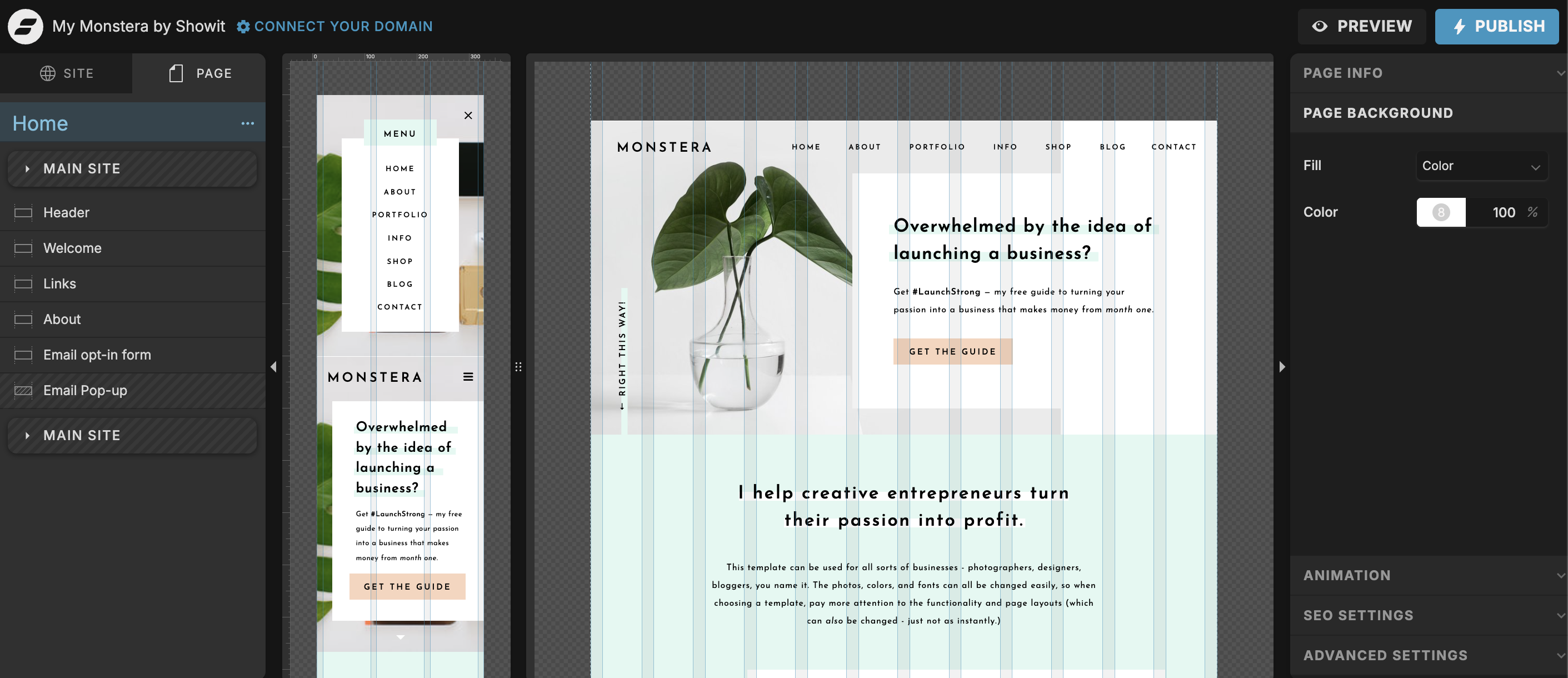
Showit is a design-focused platform with a drag-and-drop editor connected to WordPress for blogging. It is especially popular with photographers because it gives a lot of creative freedom and works well for image-led websites.
Webflow is a visual development platform with a more structured approach. It gives you more control over layout, responsiveness, CMS content, animations and performance.
Both can deliver professional website design for photographers.
But the right fit depends on your priorities.
If you want a website that feels very visual, flexible and easy to experiment with, Showit may feel more natural.
If you want more structure, more technical control and a stronger CMS setup, Webflow may be the better fit.
In an ideal world, Showit and Webflow would somehow combine into one platform, because both have things they do really well.
But since they do not, it comes down to what kind of website you need and how you want to work with it long-term.
Design freedom and interactions
Design freedom is one of the biggest reasons photographers compare Showit vs Webflow.
Showit feels very visual.
Almost like designing in Figma or Canva.
You can drag, drop, layer, move and experiment with layouts in a way that feels very natural if you are used to design tools.
I use Figma a lot in my own design process, and this is one of the reasons I personally enjoy Showit. Because Showit feels so close to designing on a canvas, I can sometimes move faster and experiment more freely inside the platform itself.
That matters for photography websites.
Because photography websites are not just about putting information on a page.
They need atmosphere.
They need space.
They need movement, emotion, imagery and a layout that supports the feeling of the brand.
Showit makes that kind of visual storytelling easier.
Webflow works differently.
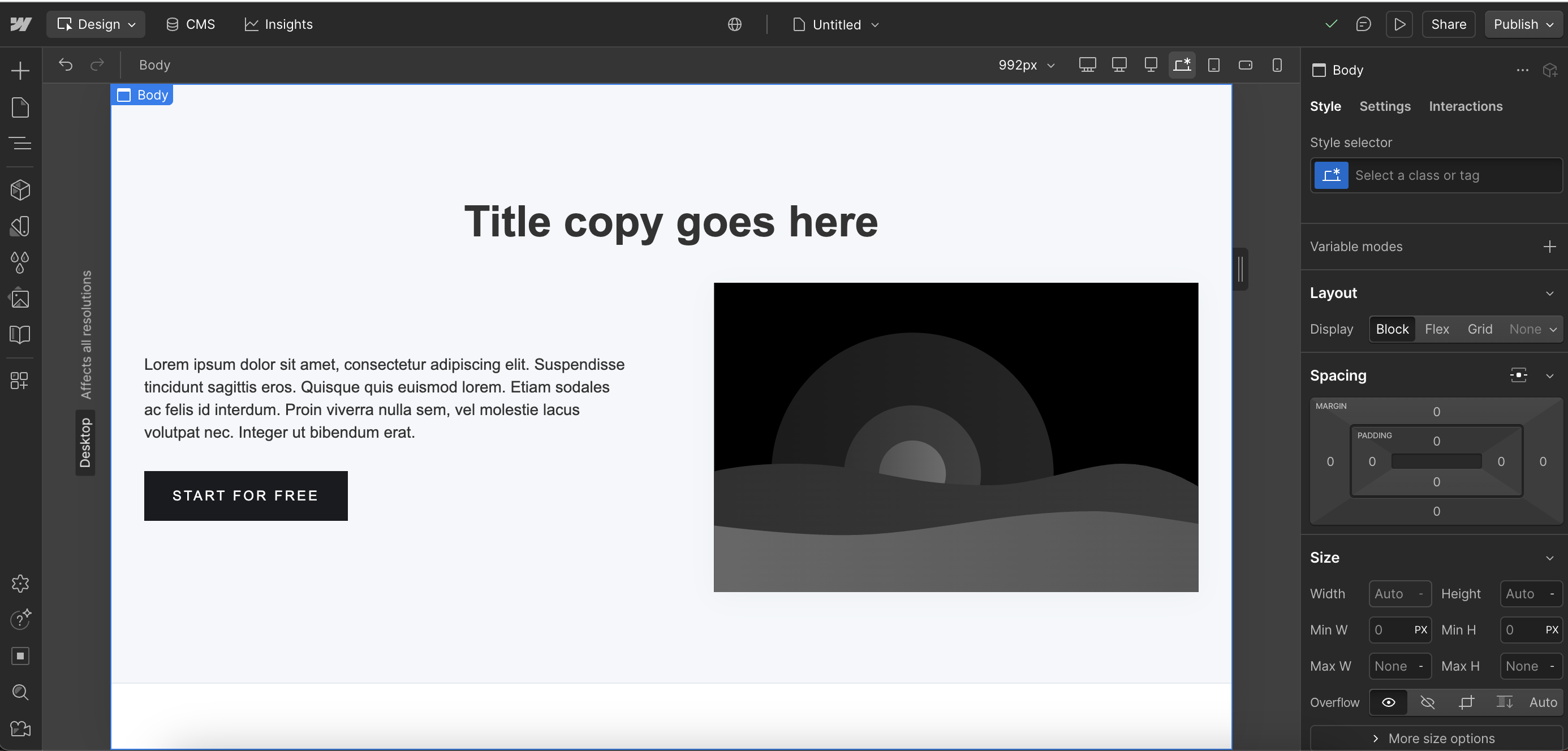
Webflow can create beautiful, elevated and interactive websites too, but it is more structured. You are thinking about sections, containers, divs, classes, spacing, breakpoints and how everything responds across different screen sizes.
That can take more time.
But it also has benefits.
Webflow gives you strong responsive control, which matters because websites are not only viewed on one desktop size and one mobile size. People browse on laptops, tablets, larger monitors, smaller phones and everything in between.
Webflow makes you think about that structure more carefully.
So the trade-off is this:
Showit feels more like designing freely.
Webflow feels more like designing with structure.
Neither is wrong.
They just ask you to think differently.
Content and SEO
For long-term SEO performance, both platforms can work well.
The platform alone does not make a website rank.
Your page structure, headings, metadata, image optimisation, site speed, blog content, internal links and keyword choices all matter too.
This is something I go into more deeply in my guide to SEO for wedding photographers, because a beautiful photography website still needs clear signals for Google to understand what you do, where you work and who you serve.
Showit has a big advantage for photographers who want to blog for SEO because it connects with WordPress for blogging.
That means you can have a custom, visual website built in Showit while still using WordPress for blog posts.
For wedding photographers, this can be really useful.
You might want to blog real weddings, venue guides, engagement sessions, planning advice, location posts or helpful content for couples searching in your area.
That kind of content can support your visibility over time.
I am currently working on a Showit website for an elopement planner whose old website was built in WordPress using an outdated plugin setup.
The issue was not that WordPress blogging was bad.
The issue was that the overall website setup had become outdated, and the plugin was discontinued.
Showit made sense because we could create a more elevated, flexible website while still keeping the WordPress blogging side. Her WordPress blog has been migrated into the Showit WordPress account, and the process was really smooth.
That is one of the reasons Showit can be a good middle ground for photographers and wedding creatives.
You get visual design freedom and WordPress blogging.
Webflow has its own SEO strengths too.
Its CMS is strong, and I was very used to it when my own website was in Webflow. For certain projects, especially ones with structured content, custom collections, resources, directories, portfolio categories or repeatable content types, Webflow’s CMS can be a really good fit.
Webflow also gives you a lot of control over page structure, responsive layouts and technical setup.
So again, it depends on the website.
If you are a photographer who wants a visual website with an easy WordPress blogging setup, Showit often makes more sense.
If you need a more custom CMS structure and stronger control over how different content types are managed, Webflow can still be a brilliant option.
Performance and maintenance
Performance matters.
Especially for photographers.
Because photography websites usually have a lot of images.
Large image files can slow a website down quickly if they are not handled properly, and speed affects both user experience and SEO.
- Webflow: Webflow has strong performance tools, responsive image handling, built-in hosting, image optimisation options and a more centralised way to manage images and alt text. I really like that you can upload images into the media folder and manage alt text there, because it makes image SEO feel more organised.
- Showit: Showit gives full creative control and WordPress blogging power, but image optimisation and alt text management need more care. In Showit, alt text is added inside the designer, image by image. If you reuse the same image or work with galleries, this can get annoying quickly.
This is one area where I genuinely wish Showit had some of Webflow’s features.
Webflow also has built-in image optimisation options, including converting images to WebP, which can help reduce file size and improve page speed.
Showit can still perform well, but you need to be more intentional with image compression, file sizes and how you manage images before and after upload.
Maintenance is another thing to consider.
Showit can feel easier for photographers because it is so visual. You can click, move, drag and update things without feeling like you are inside a technical system.
But Showit is not impossible to break.
Because it does not work with the same div structure, padding and layout rules as Webflow, things can overlap if they are moved or edited without checking properly.
I have seen this with clients who came to me with broken Showit websites that needed fixing or auditing.
So yes, Showit can be easier to use.
But you still need to be careful with bigger layout changes, especially across desktop and mobile.
Webflow is more structured, which can make text changes, font changes and content edits feel more controlled. The layout has rules behind it, which can help prevent the same kind of accidental overlapping.
But Webflow also has a steeper learning curve.
So it depends on what kind of maintenance feels easier to you.
Which photographers benefit from each?
Webflow is ideal if:
- You want a portfolio that feels dynamic, editorial or interaction-led.
- You prioritise fast load times, image optimisation and technical control.
- You want more control across different screen sizes and responsive layouts.
- You need a stronger CMS setup for case studies, resources, portfolio categories or repeatable content.
- You are comfortable investing in a website design professional or Webflow expert for setup and custom builds.
Webflow is not just for photographers, but it can work really well for photographers who want something more structured, refined and custom.
I still design in Webflow, and I still like it.
It just serves a different purpose.
Showit is ideal if:
- You want full visual freedom without needing to code.
- You want a website that feels easy to update and experiment with visually.
- You want WordPress blogging for real weddings, venue guides and SEO content.
- You work with a Showit website designer who understands how design and SEO connect.
- You want your website to feel highly personal, emotional and brand-led.
One of my clients, Sophie from Nostalgia Photography, originally had her website on Squarespace.
Squarespace worked as a starting point, but over time it became too limiting for the direction her brand was moving in.
When we completely rebranded her business, it made sense to move the website to Showit too.
The goal was not just to make the website look prettier.
It was to create something that felt more aligned, more flexible and more personal to her photography brand.
You can view Sophie’s full rebrand and website redesign here: Showit website design for a wedding and lifestyle photographer.
This is where Showit can be such a good fit for photographers.
If your work is highly visual, your website needs to do more than hold information.
It needs to feel like an extension of your brand.
Local SEO and international considerations
Whether you are a UK wedding photographer, a destination photographer, or a photographer working across places like Los Angeles, Derbyshire, the Peak District or South Bay, your platform is only one part of the SEO picture.
Structure and speed matter.
But so do your words.
Your website needs to clearly explain what you do, where you work and who you serve.
For photographers, that often means using location-based service pages, venue-based blog posts, real wedding features, internal links and image descriptions that support your target locations.
For example, a wedding photographer might want to rank for searches like “Derbyshire wedding photographer” or “Peak District wedding photographer”.
A photographer in the US might want to rank for searches connected to Los Angeles, Redondo Beach, Manhattan Beach or South Bay.
Both Showit and Webflow can be optimised effectively for search.
But they still need a strategy.
That means clear headings, helpful content, optimised images, internal linking and a website structure that makes sense to both people and search engines.
This is why platform choice matters, but it is not everything.
A well-built Showit website can perform better than a poorly planned Webflow website.
And a well-built Webflow website can perform better than a poorly planned Showit website.
The strategy matters more than the platform label.
How a website design professional can help
A skilled website design professional will help you choose the platform that actually fits your photography business.
Not just the one that is popular.
Not just the one that looks good in a template shop.
The one that supports your workflow, your content, your SEO, your client journey and your long-term goals.
The goal is not just to create something beautiful.
It is to make sure your website performs.
That means ranking for the right services, loading properly, guiding visitors clearly and turning the right people into enquiries.
Whether you choose Showit or Webflow, design and strategy need to work together.
Because a website can look beautiful and still not do its job.
And honestly?
That is the part I care about most.
I want your website to feel like you, but I also want it to support your business behind the scenes.
If you are not sure which platform is right for your photography brand, start with my Which Website Platform is Right for You? Quiz.
If you are ready to invest in a custom design or want professional help refining your chosen template, explore my custom website design services. I create strategic websites for photographers and creative businesses who want a balance of beauty, SEO and long-term growth.
You can also use my Dream Client Website Checklist to review whether your current website is helping you attract the right people or quietly holding you back.