
Your website platform is not just about drag-and-drop ease or stylish templates.
It is the foundation of how your brand connects, books, sells and grows.
And if you are a photographer, wedding creative, planner or service-based brand, choosing between Showit, Webflow, Shopify, Squarespace and Wix can feel overwhelming.
Because each platform has strengths.
But they are not built for the same kind of business.
A wedding photographer does not need the same setup as a large ecommerce shop.
An elopement planner with a blog does not need the same setup as a brand selling hundreds of physical products.
And a photographer selling one guide, print collection or digital product does not always need a full Shopify store.
This is why I do not believe in forcing every client into one platform box.
I design on Showit, Webflow, Shopify, Squarespace and Wix, not because I cannot choose, but because every business has its own rhythm, goals and future.
Before we dive into this comparison, here’s a quick note: I’ve tested and worked across multiple website platforms to see how they perform for photographers, wedding creatives and service-based brands. This helps me look at the bigger picture, not just features, but SEO, speed, flexibility, ecommerce, blogging and workflow.
If you are comparing platforms more specifically, you may also find my guides on Showit vs Webflow, Squarespace vs Wix and Showit vs Squarespace helpful too.
Still unsure which platform fits your style, workflow and SEO needs? Take my Which Website Platform is Right for You? Quiz to find out in a few minutes.
One Brand, Many Paths: Why Platform Flexibility Matters
Because one size does not fit all.
Some clients need a story-driven portfolio that feels editorial.
Others need an ecommerce setup to sell prints, guides, templates or physical products.
Some need a strong blog because SEO is part of their growth strategy.
Some just need a clean, simple website that is easy to update and does not feel overwhelming.
Instead of offering “one size fits most,” I build custom solutions that support your growth, not limit it.
Here’s why that matters:
- Your brand may be evolving, and your website should be able to grow with you.
- You should not have to compromise design for function, or function for design.
- The tech should serve your strategy, not define it.
- Your website platform should match how you actually book clients, publish content, sell products and manage your business.
That is why platform choice matters.
Not because one platform is always better than the others.
Because the wrong platform can make everything feel harder than it needs to be.
Let’s Break It Down: Showit, Webflow, Shopify
Showit: Built for Creative Freedom
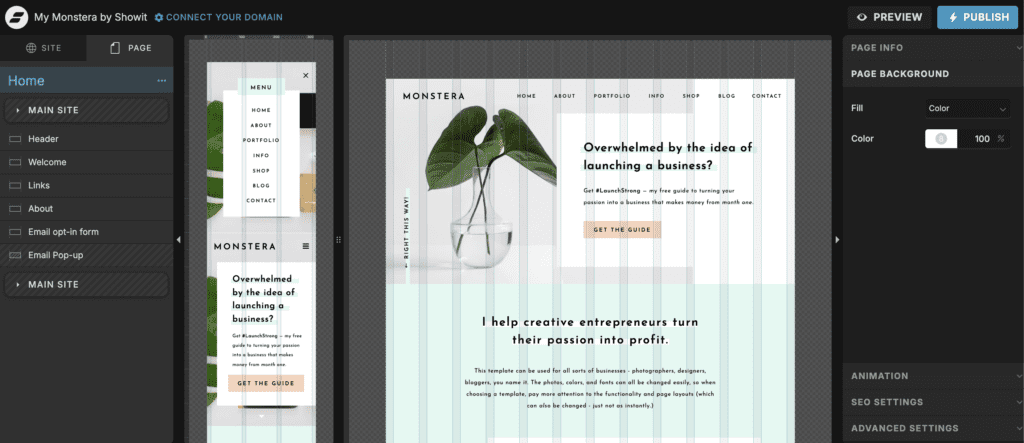
If you are a photographer, wedding creative, planner or visual service provider craving full visual control, Showit is often where the magic happens.
Showit is especially strong when your website needs to feel like art direction meets business strategy.
It is flexible, visual and very design-led.
That makes it a natural fit for brands that rely on imagery, emotion, storytelling and a strong first impression.
It also connects with WordPress for blogging, which is a big reason I like it for photographers and wedding pros who want to use blog content for SEO.
- No-code drag-and-drop builder
- WordPress integration for blogging and SEO content
- Ideal for storytelling, visuals and high-touch client experiences
- Great for photographers, wedding creatives, planners and visual brands
Showit is not perfect.
Because it is so visual and freeform, larger design edits still need care. If you move things around without checking desktop and mobile properly, overlaps can happen.
But for photographers and wedding creatives who want a website that feels personal, flexible and easy to visually update, Showit can be a really strong choice.
Webflow: For Editorial Polish and Motion-Driven Design
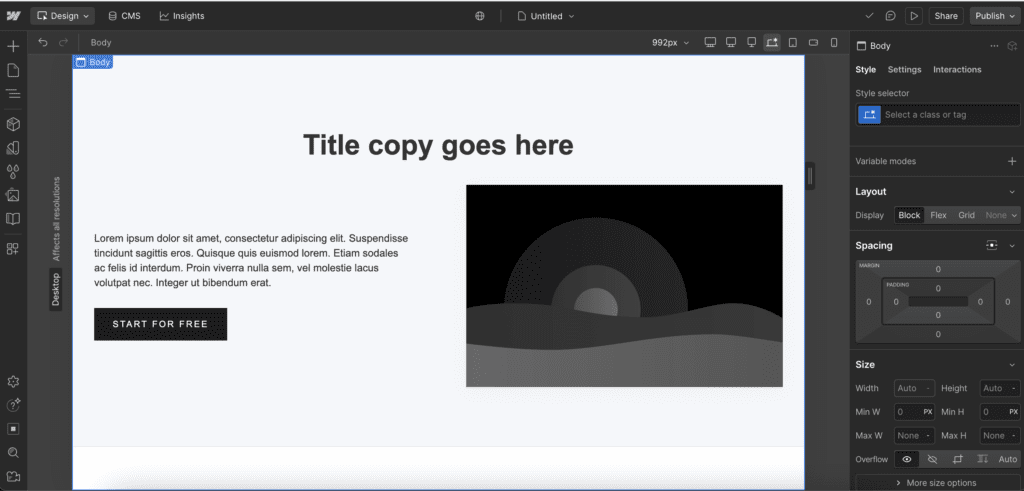
Webflow is the platform for sleek, structured, high-end websites with modern flair.
If your brand feels editorial, minimal, refined or more technical, Webflow can deliver with a lot of precision.
I have used Webflow for the majority of my design career, and I still work in Webflow regularly.
What I like about Webflow is the structure.
It gives you more control over layouts, responsive design, CMS collections, animations and performance.
That can make it a great fit for brands that need more than a simple portfolio, especially if they have case studies, resources, directories, blog categories or repeatable content types.
- Advanced layout and animation capabilities
- Built-in CMS for case studies, blogs, resources or portfolios
- Strong responsive control across different screen sizes
- Good for structured, editorial or interaction-led storytelling
Webflow can also support ecommerce, so it can work for smaller shops or more custom product experiences.
But when ecommerce becomes the main part of the business, I usually start looking at Shopify instead.
Shopify: Your Sales Machine
Shopify is built for selling.
For businesses selling physical products, downloads, templates, prints, presets or accessories, Shopify is usually the strongest ecommerce foundation.
And with the right design approach, it does not have to feel generic or overly “storefront.”
It can still feel luxurious, elevated and aligned with your brand.
The difference is that Shopify is not just there to display products.
It is built to support orders, checkout, inventory, analytics, apps, integrations and customer journeys.
- Robust ecommerce features for products, inventory and orders
- Streamlined checkout and mobile shopping experience
- Apps and integrations that support growth
- Useful stats and sales data inside Shopify
- Popular integrations like Klaviyo for email marketing and automations
I have worked with bigger shops before, including a large car camera and accessories brand that used Shopify.
For that kind of business, Shopify made complete sense.
There were products to manage, customers to track, sales data to understand and integrations that needed to support the business properly.
That is where Shopify becomes difficult to beat.
What About Squarespace and Wix?
Squarespace: Simple, Stylish and Strategic
Squarespace can be a good starting point for creatives who want to get online quickly without sacrificing style.
It is intuitive, visually clean and works well for simple portfolios, personal brands or smaller service-based businesses.
- Built-in SEO, blogging and scheduling tools
- User-friendly and low maintenance
- Good for clean, minimal portfolios or booking sites
But Squarespace can become limiting as your brand grows.
One of my clients, Sophie, originally had her photography website on Squarespace. It worked as a starting point, but over time, the brand needed more flexibility and a more personal visual direction.
When we completely rebranded her business, it made sense to move the website to Showit too.
You can view Sophie’s full rebrand and website redesign here: Showit website design for a wedding and lifestyle photographer.
Wix: Great on a Budget, Still Looks Premium
If you are starting out or need a beautiful online presence without investing in a fully custom build, Wix can be worth considering.
With the right strategy, it can still look polished and professional.
- Flexible drag-and-drop editor
- Good for bookings, galleries and smaller websites
- Can work well for small businesses who need control and affordability
Wix is not always the platform I would choose for a more elevated custom brand experience, but it can be a useful stepping stone.
Especially when budget, speed and simplicity matter most.
Why I Work on All These Platforms
Because you deserve a website that feels like it was built for your business.
Not a template forced into the wrong platform.
My approach is personalised from day one.
During our process, I help you choose the platform that aligns with your:
- Brand goals and visual direction
- Business model, whether you sell services, products or both
- Comfort level with tech and content updates
- SEO and blogging needs
- Long-term growth plans
Because the platform should support your strategy.
Not make your strategy harder.
A photographer who needs galleries, service pages and real wedding blog posts may need something very different from a wedding educator selling templates or a product-based brand managing inventory.
That is why I do not start with the platform.
I start with the business.
What Working Together Looks Like
Here’s how we make it strategic:
- We dive into your business, brand, audience and long-term vision.
- I recommend the best platform, or platform combination, to support your goals.
- I custom design a website that reflects your style, converts clients and grows with you.
That might mean Showit.
It might mean Webflow.
It might mean Shopify.
It might even mean starting with Squarespace or Wix if that is genuinely the best fit for where you are right now.
The goal is not to choose the trendiest platform.
The goal is to choose the one that supports how your business actually works.
Examples: Choosing What Works for You
- Photographer? Showit plus WordPress blogging can be a strong fit for showcasing your work and building SEO-rich content.
- Wedding photographer with lots of venue content? Showit can work well because your visual pages and WordPress blog can support each other.
- Elopement planner with an existing WordPress blog? Showit can be a good option if you want a more elevated website while keeping the blogging side.
- Creative brand with case studies, resources or structured content? Webflow may be a better fit because of its CMS and responsive control.
- Creative selling templates, prints or products? Shopify is usually the stronger choice if ecommerce is central to the business.
- Photographer selling one guide, print collection or preset? You may not need a full Shopify website. A Shopify Buy Button or embedded checkout might be enough.
- Launching on a budget? Wix or Squarespace might be your stepping stone before moving into a more custom platform.
This is why platform advice needs context.
It is not just about what the platform can technically do.
It is about whether it supports your actual business model.
Mixing Platforms? Totally an Option.
Want a custom Showit website but need a small Shopify shop?
That can work.
Showit can use Shopify Buy Buttons, which means you can add individual products, collections or buy buttons to a Showit page while the checkout is handled through Shopify.
This can be a good option if your website is mainly there to book photography clients, wedding clients or service enquiries, but you also sell a few products on the side.
For example, a photographer might sell one guide, a preset, a print collection or a small digital product.
A planner might sell a downloadable planning resource.
A wedding educator might sell a template or workbook.
In that case, Showit can still make sense as the main website platform.
But if you are building a real shop with multiple collections, inventory, product variants, abandoned cart flows, sales reporting and email marketing, Shopify is usually the better foundation.
Webflow can also handle smaller ecommerce setups, especially if you want a more custom product experience.
But again, when the shop becomes the main business, Shopify is usually the obvious choice.
So I think about it like this:
If ecommerce is a small part of the business, Showit or Webflow might still work.
If ecommerce is the business, Shopify is usually the stronger choice.
Let’s Build Something That Works For You
You do not need a cookie-cutter website.
You need one that feels aligned, high-touch and smart behind the scenes.
And the right platform is just the beginning.
Your website should support the way your business actually works.
It should help you book clients, manage your content, sell your offers, support your SEO and create a better experience for the people deciding whether to work with you.
If you are not sure whether Showit, Webflow, Shopify, Squarespace or Wix is right for you, start with my Which Website Platform is Right for You? Quiz.
And if you already know your website needs a more strategic redesign, you can explore my custom website design services.
You can also use my Dream Client Website Checklist to review whether your current website is helping you attract the right people or quietly holding you back.